
Tea Spins Casino FAQ
Frequently asked questions about Tea Spins from players wanting to play on a new site. This FAQ section provides information on all the topics covered during registration, payments, and general gameplay to help you find what you are looking for quickly. Whether you’re a newcomer to online casinos or an experienced player exploring Tea Spins for the first time, this comprehensive guide addresses the most common queries our support team receives. We’ve organized these questions to mirror the typical player journey – from creating your first account through to ongoing gameplay and account management.
How do I create an account at Tea Spins?
Click on the Register button on the home page and fill out the Registration form with your data. You’ll land on the deposit page as soon as you hit Create an Account. After you register, we send a welcome message to your email.
Am I allowed to have more than one account?
No, everyone can only have one account to ensure fairness for all. Having multiple accounts is against the ToS and could be a closure reason. The rule prevents bonus abuse and guarantees fair play conditions.
I have forgotten my password. What should I do?
To reset your password, click on “Log In,” then on “Forgot Password?”. You should receive an email with instructions to create a new password in about 30 seconds. If you can’t access your email or run into problems, contact customer support at email@teaspins.support and they’ll help after checking your details.
How do I add another currency to my account?
Sign into your account and go to “My Account” in your profile section. Click the “Add Currency” button and pick a currency from the dropdown list. This lets you use different currencies without creating separate accounts.
What currencies does Tea Spins Casino support for deposits and withdrawals?
You can use GBP, EUR, BTC, ETH, USDT, BCH, LTC, XRP, TRX, and DOGE for both putting money in and taking it out. The wide range covers traditional money and popular cryptocurrencies. Both deposit and withdrawal methods support these same currencies.
How do I know if my deposit has been credited to my account?
Check the “My Balance” section in “My Account” – deposits usually show up right away. The balance updates instantly once your payment goes through successfully. If your money doesn’t appear within a few minutes, get in touch with support.
Are there any fees for deposits and withdrawals?
Tea Spins covers deposit fees on their end, so you won’t pay extra when adding funds. Your bank or payment provider might charge their own fees for sending money though. For withdrawals, any fees from your payment method will be your responsibility.
What is the VIP/Loyalty program and how does it work?
Tea Spins operates a tiered loyalty program with seven levels: Bronze, Silver, Gold, Ruby, Sapphire, Emerald, and Diamond. As you play, you earn points that help you progress through these levels. Each level unlocks increasingly valuable rewards including cash bonuses, free spins, higher withdrawal limits, and even luxury prizes like watches. The Diamond level offers a luxury watch worth £50,000. You can track your progress and see what’s needed to reach the next level in the VIP section of your account.
What bonuses and promotions are currently available?
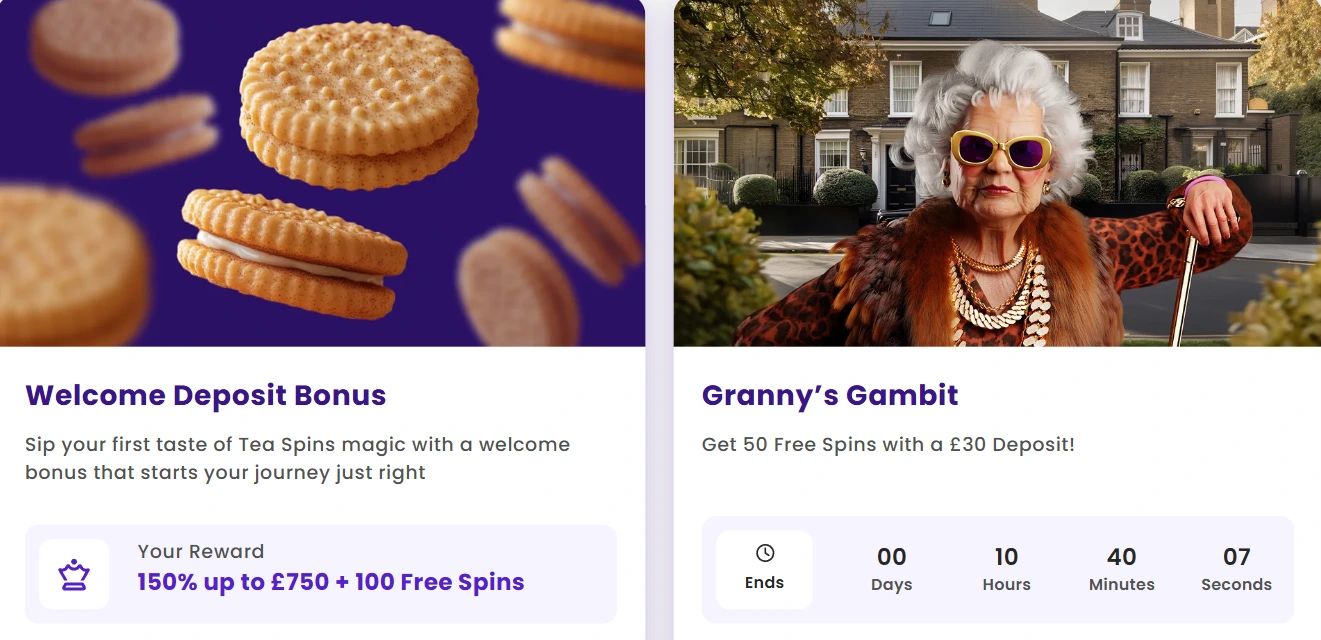
Tea Spins offers a Welcome Deposit Bonus of 150% up to £750 plus 100 Free Spins for new players. Regular promotions include the Spinning Scones Club (up to 200 Free Spins), Freshly Baked Spins (10 Free Spins for trying new games), various tournaments with prize pools, and weekly promotions like Monday Treat, Teatime Top-Up, and Granny’s Gambit. Each promotion has specific terms and conditions, including wagering requirements. Check the Promotions page for current offers and their countdown timers showing when they expire.
Can I play using mobile devices?
Yes, all games work on phones and tablets through your web browser. Just go to the Tea Spins website and click on any game from the main page. The site adjusts to fit your screen size automatically without needing to download anything.
What if my internet disconnects during a game?
You can pick up where you left off once your connection comes back. The game saves your progress so you don’t lose anything when disconnected. Multiplayer games are different though – you might not be able to rejoin if other players are still betting.
Is Tea Spins legit and is my information safe?
Tea Spins uses SSL encryption and anti-fraud measures to keep your money and personal details secure. Your information stays private and only gets used to provide gaming services. You can read more about their security on the Privacy & Security page.
How do I submit my documents and track their status?
Log into your account and find the Documents page in your profile. Upload the required files there and check their status anytime. The system shows you when documents are being reviewed and if they need anything else from you.
Does this casino have a bonus code for the welcome offer?
No bonus code is needed — the welcome offer activates automatically once you make your first deposit of £20 or more. Your Tea Spins bonus code is essentially your first deposit itself. Once the funds clear, the 150% match up to £750 lands in your account straight away, and 20 Free Spins per day for five days follow on Fish Fever by TrueLab. No vouchers, no manual claiming, no fuss.
What are Tea Spins sister sites?
Tea Spins UK is an independent brand and we don’t share infrastructure or player accounts with other casinos. If you’re looking for sister sites, keep in mind that any site claiming a direct link to us isn’t something we can verify. Your account, bonuses, and transaction history exist solely within the Teaspins online casino environment.
Is this casino legit and properly licensed?
Yes, is Teaspins legit is a fair thing to ask before handing over any personal details. We operate under a valid licence and run SSL encryption across the entire platform. Player funds are kept separate from operational funds, and all titles — whether it’s Wild Cash x9990 from BGaming, Live Roulette from Luckystreak, or Magic Mummy Megaways — are sourced from regulated providers only. You can find full licensing details in the footer.
What games are available right now?
Our library currently runs past 11,000 titles across slots, live dealer tables, and Megaways. Popular picks at Teaspins casino include Coin Win: Hold The Spin by Gamzix, Cash of Cleopatra by Jacks, and Battle Rage by TrueLab. Live coverage includes VIP Blackjack and multiple roulette variants from ICONIC21 and Live Vegas. Every section of the catalogue is fully accessible to Tea Spins uk players without any regional gaps.
Are there wagering requirements on bonuses?
Every bonus at Teaspins carries wagering requirements that need to be cleared before any winnings from bonus funds become withdrawable. The exact multiplier depends on the promotion — it’s always spelled out in the specific terms rather than buried in fine print. To give a practical example: the welcome offer carries a 40x requirement applied to the sum of your deposit and bonus combined, so a £20 deposit with a £30 bonus means wagering £2,000 in total. Slots generally contribute 100% toward that figure, while certain table games may count for less or not at all — worth checking before you start playing.
What is the minimum amount I can deposit and withdraw?
At Teaspins Casino the standard minimum for both deposits and withdrawals is £20, or the equivalent in other supported currencies. Crypto options follow their own thresholds — for instance, BTC starts at 0.0001 for deposits and 0.0002 for withdrawals, while USDT has a lower floor of just $5. If you’re unsure about a specific method, the exact figures appear at the point of transaction before you confirm anything.
How long do withdrawals take to process?
Processing times at Teaspins depend on the method you choose. Crypto payouts — Bitcoin, Ethereum, Litecoin and others — typically clear within a few hours, though up to 24 hours is possible depending on network load. Card and bank transfer withdrawals follow standard banking timelines of three to five business days. If it’s your first withdrawal, expect a short additional delay while we complete identity checks — a routine step before any funds move out.